

Picture this: it's finally Friday night, you've collapsed on the couch with snacks in hand, and all you want is to open your streaming app before the game kicks off. Instead, you're watching that spinning wheel of death while the opening credits roll on without you. Sound familiar? If you've ever wrestled with a sluggish streaming stick, you know exactly why speed matters more than any flashy feature list. That's precisely where Amazon's new Fire TV Stick 4K steps in, and after digging into everything from Vega OS to the redesigned remote, here's what you actually need to know before upgrading your TV setup.
Why Speed Finally Takes Center Stage
Amazon spent most of the launch talking about one thing: speed. And honestly, they should have. Fire TV has carried a sluggish reputation for years, but the new Fire TV Stick 4K promises apps open over 35% faster than competing 4K sticks in the same price range. That's not just a marketing number—that's the difference between finding your show before bedtime and giving up entirely. The real-world test? When you're rushing to catch live sports or trying to queue up dinner entertainment without missing a beat, that speed jump actually matters.
The Remote Upgrade You Didn't Know You Needed
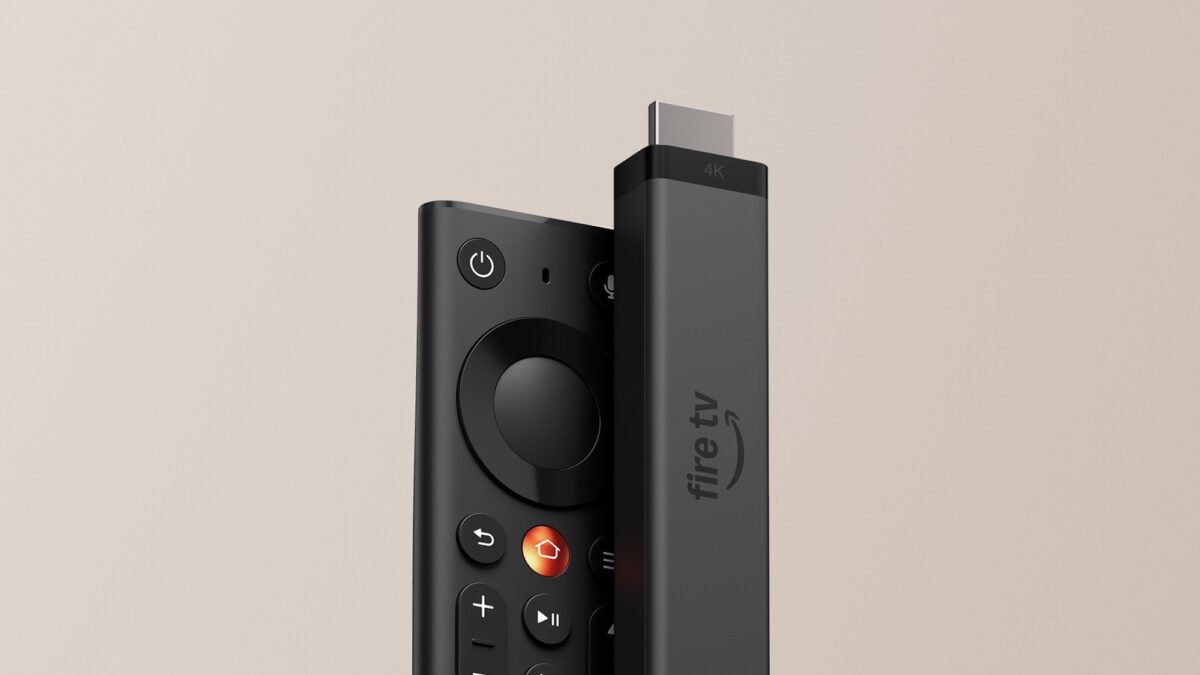
Here's the detail that caught my attention more than the chip upgrade: the remote. Amazon's team noticed Fire TV owners press that home button over 100 million times daily, so they finally gave it a metal surface you can actually find in a dark living room. No more fumbling around with your thumb. The star button, previously reserved for premium models, now lets you jump straight to your favorite app with one press. It's one of those small changes that makes you wonder why it took so long, but once you've used it, going back feels impossible.
Vega OS: Faster Menus, Different Trade-Offs
The Fire TV Stick 4K runs Vega OS, Amazon's own Linux-based platform, and this is where the conversation gets interesting. Amazon has added over 2,000 apps since the first Vega device launched, including heavy hitters like Spotify and VLC. If you stick to mainstream streaming apps—Netflix, Prime Video, Disney+, YouTube—you're in great shape. But here's the honest truth: sideloading and developer options are gone. If you're someone who loves customizing your setup or relies on apps outside Amazon's official store, this stick wasn't built for you.
What's Missing (And Why It Matters)
Let's address the elephant in the room: Dolby Vision and Dolby Atmos are reserved for the Fire TV Stick 4K Max. This base model tops out at HDR10+. For most TVs, that's perfectly fine and you'll still get gorgeous 4K picture quality. But if you invested in a Dolby Vision panel, you'll want to look elsewhere. Also worth noting—Amazon didn't list RAM specifications in the announcement, and early reports suggest it's 1GB. For everyday streaming? Totally adequate. For heavy multitaskers? Something to keep in mind.
Who Should Grab This Streaming Stick
The Fire TV Stick 4K shines brightest for people who:
- Stick to major streaming apps and don't tinker with sideloading
- Want a faster, more responsive interface without paying premium prices
- Have a spare TV that could use a compact streaming upgrade (no bulky boxes on shelves)
- Appreciate practical remote improvements over flashy gimmicks
The new Direct Power feature lets you plug the stick directly into your TV's USB port, which means one less cable cluttering your entertainment center. Small win, but these are the details that actually improve daily life.
The Bottom Line
The Amazon Fire TV Stick 4K gets the fundamentals right—and in a market crowded with feature-heavy gimmicks, that's genuinely refreshing. Faster menus, a remote that actually works in the dark, and a compact design that disappears behind your TV make this a solid upgrade for most households. Just know upfront: if you're a tinkerer or a Dolby Vision purist, look elsewhere. But if you want a streaming stick that just works, opens your apps before the opening theme finishes, and doesn't fight you every time you pick up the remote? This is your pick.
Ready to finally ditch the spinning wheel and start streaming at the speed your weekends deserve? The Fire TV Stick 4K is waiting.