

Picture this: it’s 2 AM, you’re finally untangling a stubborn recursion error for your algorithms project, the compiler hangs for the tenth time, and your laptop fan kicks into overdrive. Fast forward to Saturday, you just want to unwind with a smooth gaming session, but the frame rate drops the moment you load the map. If this sounds painfully familiar, you’re not alone. Finding a single machine that seamlessly handles heavy development environments, long lecture days, and weekend gaming is the ultimate computer science student dilemma. The good news? You don’t need two laptops or a maxed-out credit card to get both.
When you’re balancing compiler stress, virtual machines, and campus deadlines, your gear should work as quietly and reliably as you do. Let’s cut through the spec-sheet noise and focus on what actually moves the needle for real student life.
Why the Right Setup Changes Your Entire Semester
The most common rookie mistake is prioritizing sleek aesthetics over actual workflow. If your coursework leans into Windows-native tools, containerization, or CUDA-based machine learning, sticking with a PC ecosystem saves you from compatibility roadblocks. But beyond the OS, it’s about memory, thermals, and how the keyboard feels after eight hours of continuous typing. Here’s how the current lineup stacks up for campus reality:
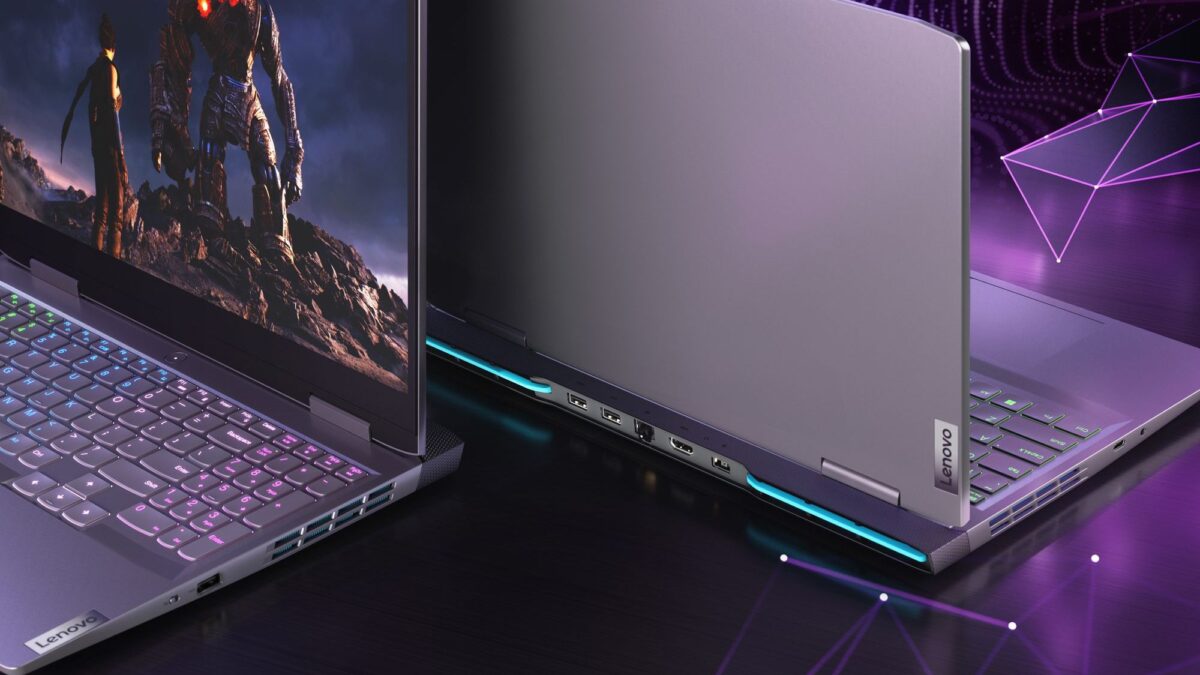
- The All-Rounder Powerhouse (Lenovo LOQ 15) – Want one machine to tackle Calculus labs and weekend AAA titles? The RTX 5060 handles both without pushing into flagship pricing. It runs a bit bulkier at 5.3 lbs and expects a 2.5 to 3.5-hour battery window between classes, but the raw compiling and rendering performance you get for the price is hard to beat.
- The Lecture-Hall Companion (Lenovo Yoga 7i 2-in-1 Aura Edition) – 9 AM classes and scattered power outlets are a campus fact. With AI-optimized power management and a barely-there 3-pound frame, this convertible keeps you unplugged all day. 16 GB RAM and a Core Ultra 5 breeze through IDEs and long documentation, while the 2-in-1 hinge lets you sketch architecture diagrams on the fly. Integrated graphics mean heavy gaming stays elsewhere, but for mobility and productivity, it’s flawless.
- The Upgrade-Friendly Future-Proof Pick (Framework Laptop 13) – Soldered RAM is the new norm, which locks you into your freshman-year budget forever. Framework flips the script: swap from 16 GB to 32 GB in your junior year using just one included screwdriver. Running 14 hours on a charge and playing seamlessly with Linux, this AMD Ryzen AI 300 Series machine is built for students who want gear that actually grows with their skills.
The Campus-Tested Specs That Actually Matter
Before you checkout, keep these benchmarks in mind. They’ll save you from sophomore-year regrets and ensure your machine survives the full degree cycle:
- Memory is non-negotiable. Skip anything with 8 GB. Virtual machines, Docker containers, and modern IDEs chew through RAM fast. Treat 16 GB as your absolute floor, with 32 GB as the sweet spot if you’re diving into systems programming or local model training.
- Keyboard feel dictates your comfort curve. You’ll type thousands of lines before graduation. A shallow deck leads to wrist fatigue; a tactile, well-traveled switch keeps you sharp during marathon coding blocks. If your dream chassis falls short, a quality external mechanical keyboard is an instant, budget-friendly upgrade.
- Portability vs. Power balance. An 18-inch desktop replacement won’t survive a full backpack, and ultra-thins will throttle under heavy loads. Match the machine to your actual schedule, not the spec sheet that looks best on a store display.
The Bottom Line
Whether you’re compiling code between back-to-back lectures, spinning up local servers, or just trying to survive finals week with a solid gaming session to reset your brain, your laptop should adapt to your rhythm, not dictate it. The machines above cover every campus workflow: raw horsepower for developers who game, all-day mobility for lecture-heavy schedules, and modular flexibility for tinkerers who plan to scale.
If you’re stepping into computer science this fall, don’t settle for gear that forces you to choose between productivity and play. Pick the setup that matches your actual workload, invest in the memory you’ll actually use, and let your hardware fade into the background while your projects come to life. Your future self will thank you every time the compile finishes before the bell rings.